When you travel or move to another country, opening your favorite app or digital store can feel surprisingly unfamiliar. You might open Netflix in Korea and discover that your favorite television show has disappeared, or try to purchase a game on Steam only to have your credit card repeatedly declined.
These regional differences are not technical glitches or broken accounts. Online platforms are legally and technically required to adapt their storefronts, content libraries, and payment gateways according to the specific laws and copyright agreements of each country.
This guide explains why regional digital boundaries exist, warns against the severe risks of using virtual private networks (VPNs) to force store region changes, and provides a safe protocol for managing app store accounts across borders.
Why regional licensing and local Korean laws change app libraries
Global digital media platforms do not operate a single universal library. Instead, they run separate regional versions governed by territorial contracts and domestic consumer laws.
Territorial licensing contracts
Streaming platforms like Netflix, Apple TV, and YouTube license movies and television shows on a country-by-country basis. A film available on Netflix in the United States may have its Korean streaming rights sold exclusively to local Korean platforms like Wavve or TVING. When Netflix detects that your device is accessing its service from Korea, it automatically hides titles for which it does not hold local Korean distribution rights.
Korea’s real-name age verification law (본인인증)
Korea operates under unique digital identity regulations. Under the Youth Protection Act, digital platforms offering mature content (rated 18+ or 19+) must enforce real-name age verification (본인인증). Even if a mature game or show is listed on Steam KR or Netflix KR, you cannot access or view it until you complete identity verification using a registered Korean mobile phone number.
Account country settings vs IP location: Why VPNs often fail
Many international travelers assume that turning on a VPN to change their IP address will instantly restore their home country’s store library. However, modern digital platforms enforce regional boundaries using far more sophisticated checks.
Payment card origin and store currency locks
Platforms like Steam KR, the Apple App Store, and Google Play Store link your store region directly to your primary payment method rather than your temporary IP address. To make purchases on Steam KR, your credit card must be issued by a Korean bank, and the billing currency must match KRW. Turning on a US VPN while attempting to pay with a Korean credit card will trigger instant fraud protection locks.
Account ban risks for using VPNs to hop store regions
Some gamers attempt “digital tourism”—using a VPN to switch their account region to countries with lower regional game pricing. Gaming platforms, particularly Steam, strictly enforce account ban rules (우회 접속 제재) against regional currency exploitation. If a platform detects that you used a VPN to spoof your location during checkout, your account can be permanently banned, causing you to lose access to your entire digital game library.

Regional platform differences: What to check when content or payment fails
Before assuming your account is compromised, use this diagnostic table to identify why a platform is restricting access:
| Issue / Symptom | Underlying regional cause | Recommended action |
| Movie or app missing from library | Content licensed in another country | Search local platforms (Wavve/TVING) or download content before traveling |
| Credit card declined at checkout | Card issuer country does not match account region | Use a payment card issued in the registered account country |
| 18+/19+ content locked in Korea | Korea’s Youth Protection Act (본인인증) | Complete Korean mobile phone verification or switch to a foreign store account |
| App store currency mismatch | Account region locked to previous country | Officially update account region or set up a secondary local Apple/Google ID |
Recognizing that a declined card or missing movie is simply a standard regional boundary check prevents you from making hasty account edits that could lock your store.
How to safely switch app store regions or use dual accounts when moving
If you have moved permanently or frequently travel between countries, you need a safe method to access local banking and regional entertainment apps.
Official store region migration steps
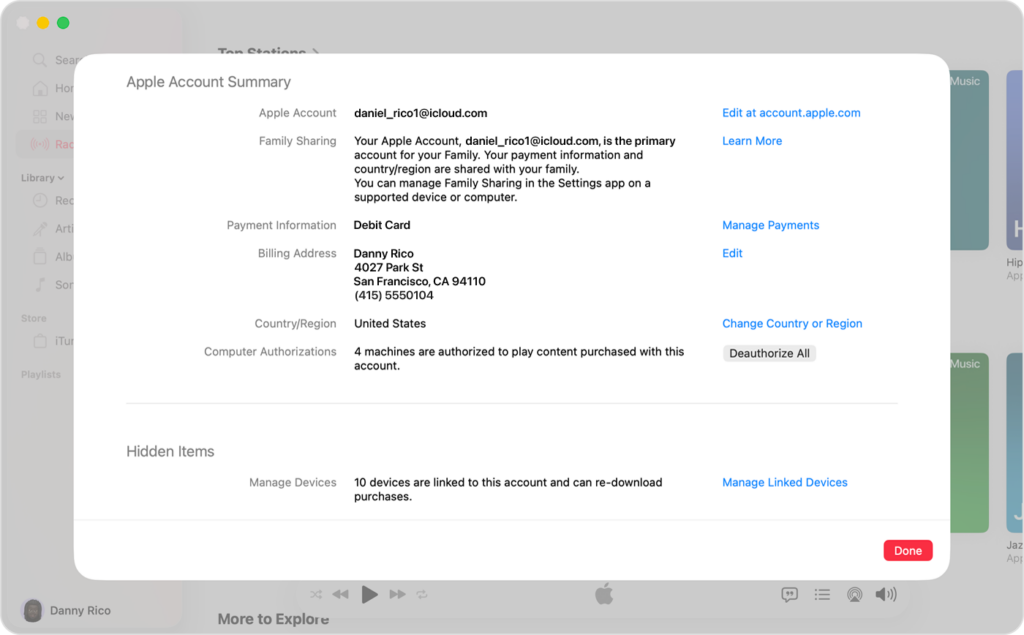
If you are moving permanently, officially update your store region through your account settings menu. On the Apple App Store or Google Play Store, you must spend any remaining store credit balance, cancel all active subscriptions, and provide a valid local payment method issued in your new country before the region switch will be approved.
Setting up dual App Store accounts in Korea
For expats, international students, and frequent travelers residing in Korea, the safest long-term practice is maintaining two separate Apple IDs or Google accounts:
- Primary Home Account: Keep your home country account linked to your home credit card for global games, media, and subscriptions.
- Secondary Korean Account: Create a dedicated Korean account linked to a Korean mobile number for local Korean banking apps, PASS verification, and food delivery services.
This dual-account approach allows you to switch between store regions seamlessly on the same device without losing access to purchased media or risking account bans.